This article is one step from our Master Help Guide: All About Communities. We recommend starting with the visual walkthrough video and examples inside the Master Help Guide before diving into the technical setup below.
Each Master Help Guide acts as your project plan – teaching you the feature, laying out the steps in the right order, and linking to every resource you’ll need along the way.
This guide is perfect if you want to:
Add live events to your community space such as Q&A's and webinars
Manage recurring or one-off events
Control who can access or register for each event
The Community Events Calendar makes it easy to create recurring or one-time gatherings for your members, such as Q&As, workshops, meetups, or any other events. The built-in Events Calendar makes it simple to schedule, manage, and notify members about gatherings, all without leaving the community.
From the Ivorey™ main menu, go to [Courses] > hover over [Communities] > select [Groups] > and [Login] to your community group
Inside the community, click the [+ Events] button at the top right of your screen > and fill in the event details:
Title & Description: Name your event and add context.
Date & Time: Choose when your event will run.
Recurring vs One-Time: Select if this is a repeat or single event.
Access: Choose if the event is free, paid, or limited to certain members.
Click [Create Event] to publish. Your event will now appear on the Events Calendar inside the Events tab for your members to view, sign up, or purchase access.
From the Ivorey™ main menu, go to [Courses] > then along the top menu bar hover over [Communities] > and click [Groups]
Login into your community portal > then click the [Events] tab
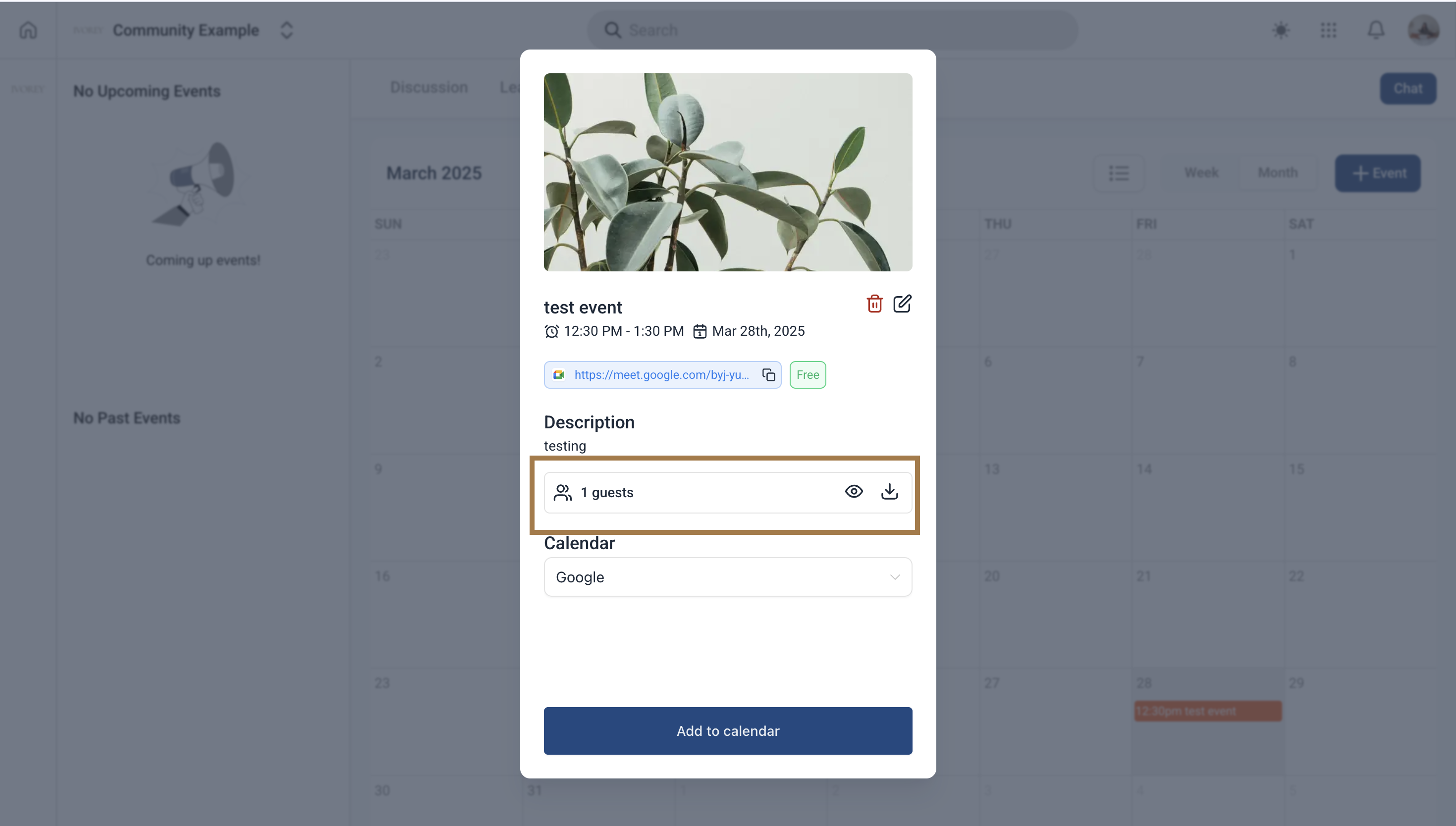
Click on the upcoming event > then click on the 👁 icon to view the list of guest list for your community event
Yes! You can livestream inside communities. Please refer to our Go Live Inside Your Community guide for the detailed steps.
Yes, when you add a new event, Ivorey™ automatically notifies eligible members. You can customise the notification template inside your Community Email Notification Settings.
To trigger an automated reminder, you must create the event at least 25 hours before the scheduled start time; otherwise, the notification window is missed

Hit the support chat widget inside Ivorey™ – we can:
Walk you through any of the steps
Troubleshoot anything that’s not working
We’re here and ready to help via the chat widget in the bottom right of your Ivorey™ account. Or if you are looking for done-for-you support, you can browse our current services here 🤍
