This article will guide you through how to transfer your domain from the Ivorey™ Cloudflare account into your own personal Cloudflare account. If you're ready to move on and take your domain with you, whether you're setting up your next chapter or simply restructuring your tech stack, we want to make the process stress-free.
Even if you’re wrapping up your time with Ivorey™, we want to make sure your systems continue supporting you. If you need help during this transition or want to revisit how Ivorey™ can support your business down the track - we’ll always be here to welcome you back.
This guide is perfect if you want to:
Transfer your domain from the Ivorey™ Cloudflare account into your own personal Cloudflare account


Log in to your Cloudflare account
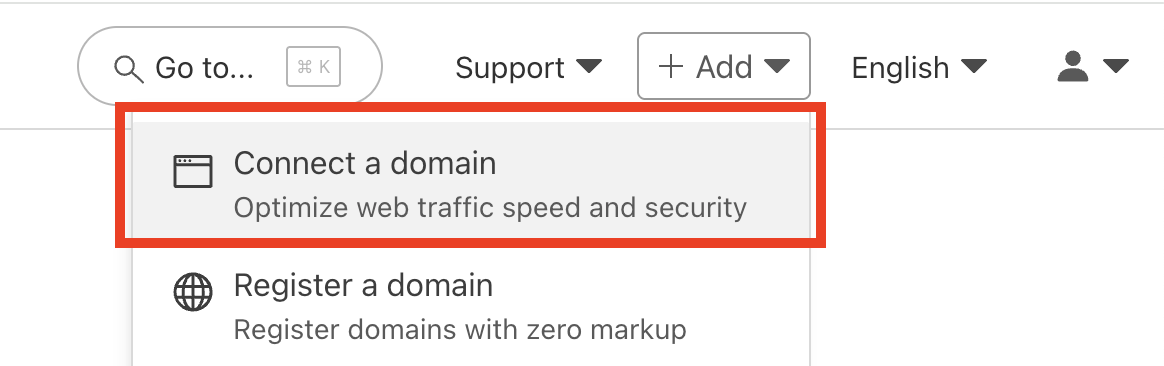
Once logged in, click [+ Add] > and select [Connect a domain]
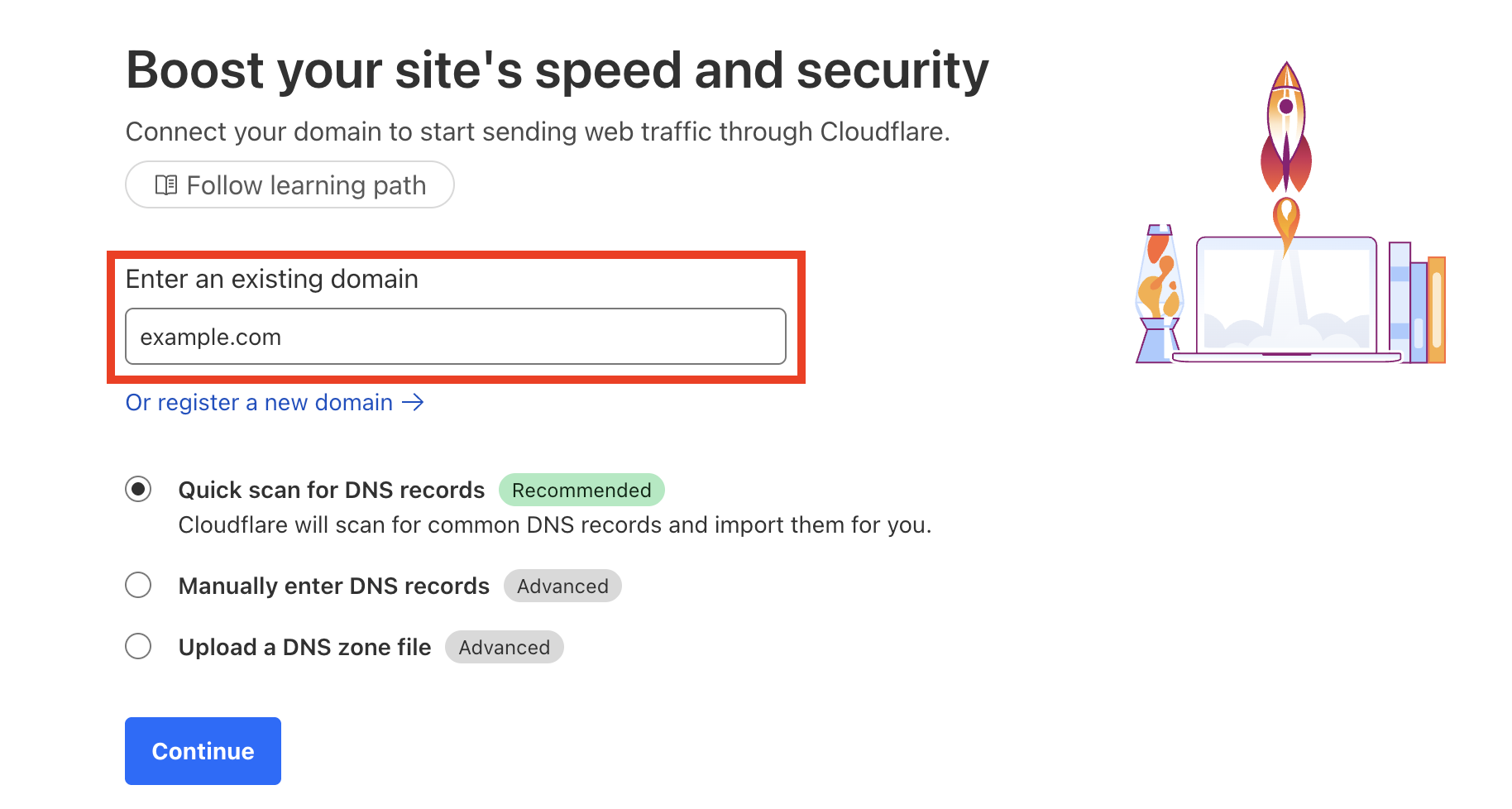
Enter the domain name you’re transferring out of Ivorey™ > and click [Continue]
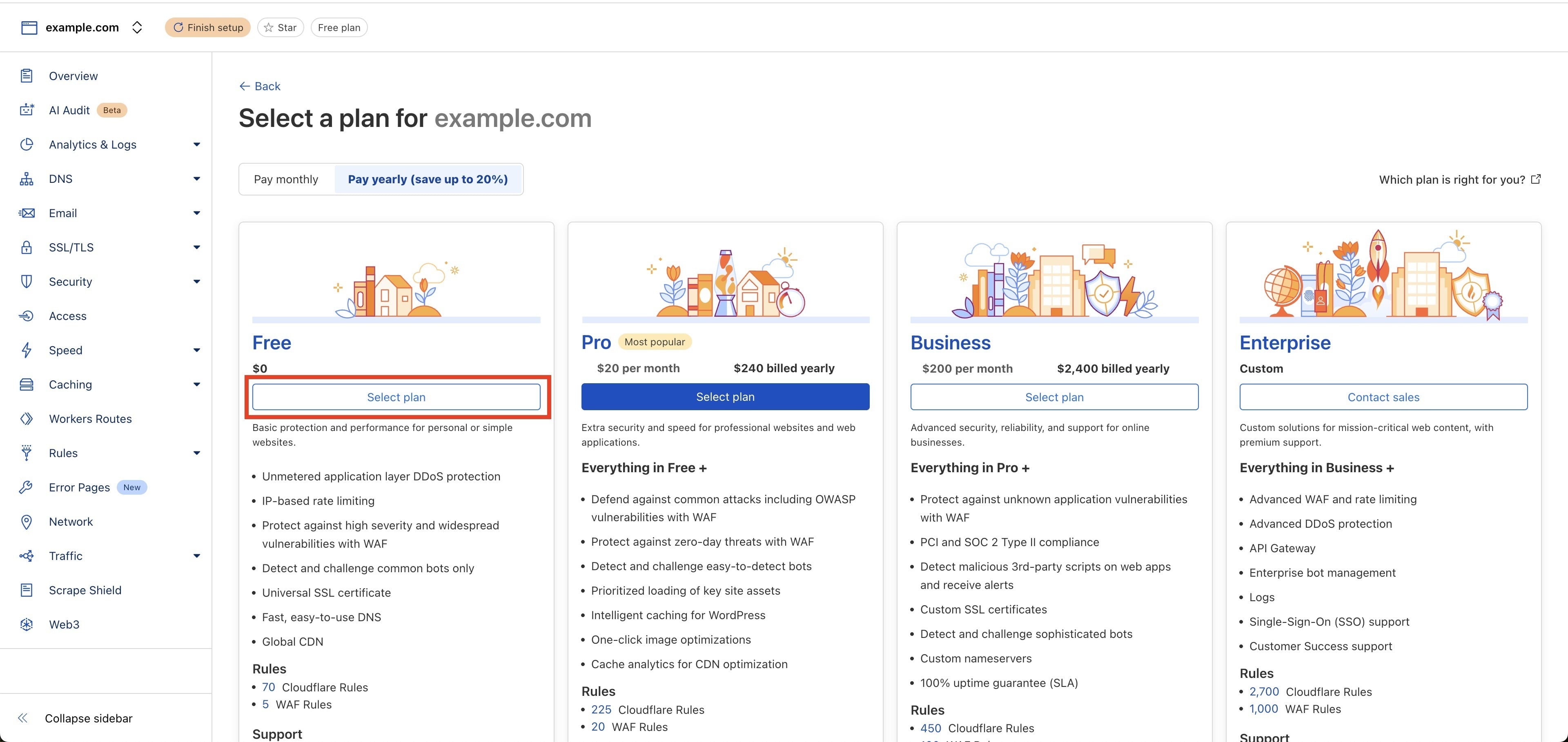
Choose a Cloudflare plan (the Free plan is totally fine for most users)
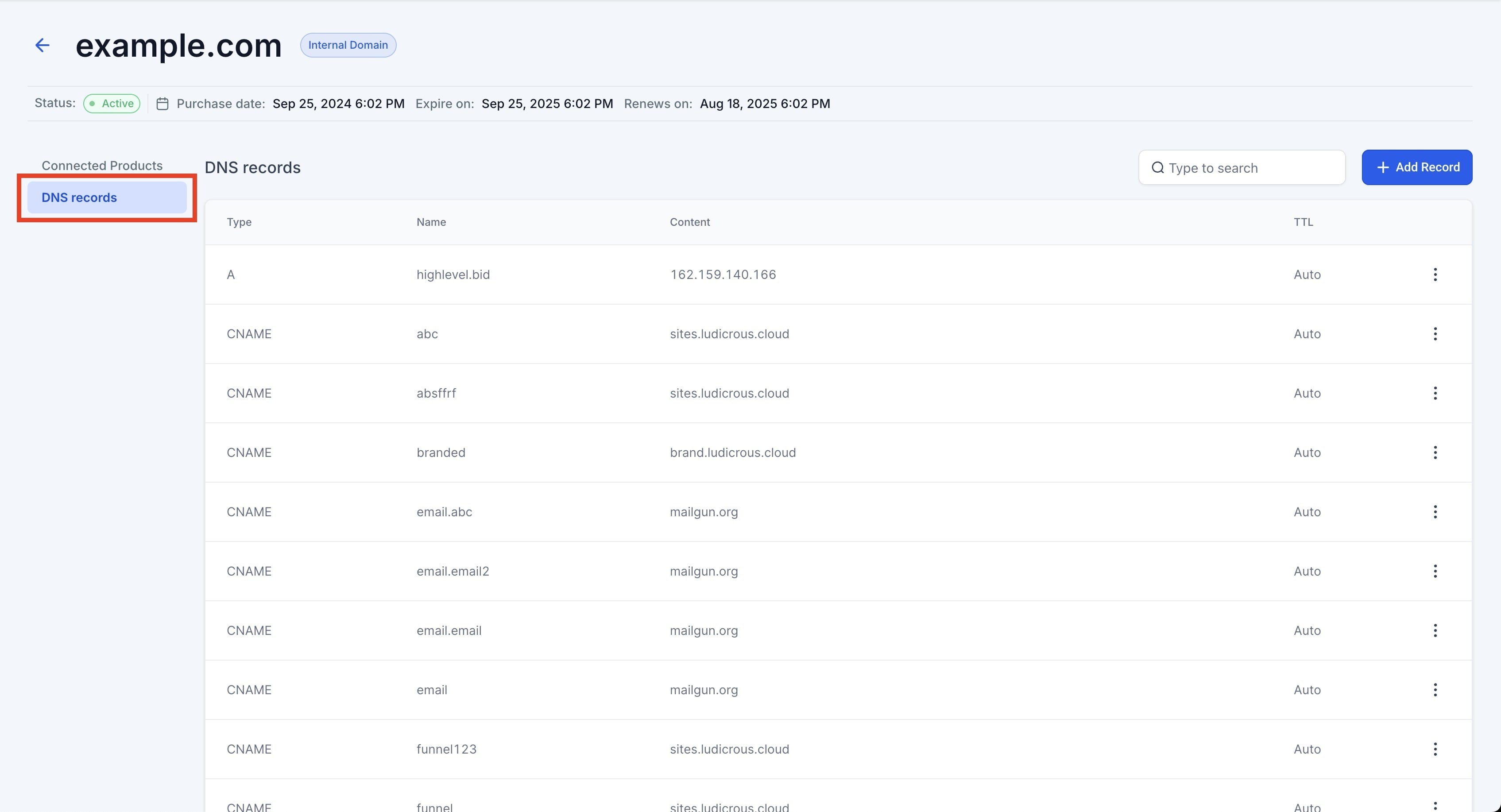
Cloudflare will scan your existing DNS records - review them carefully. You can find your current DNS records here:
IMPORTANT: Make sure all DNS records have the proxy status turned OFF (click the orange cloud icon next to each record to turn it off)
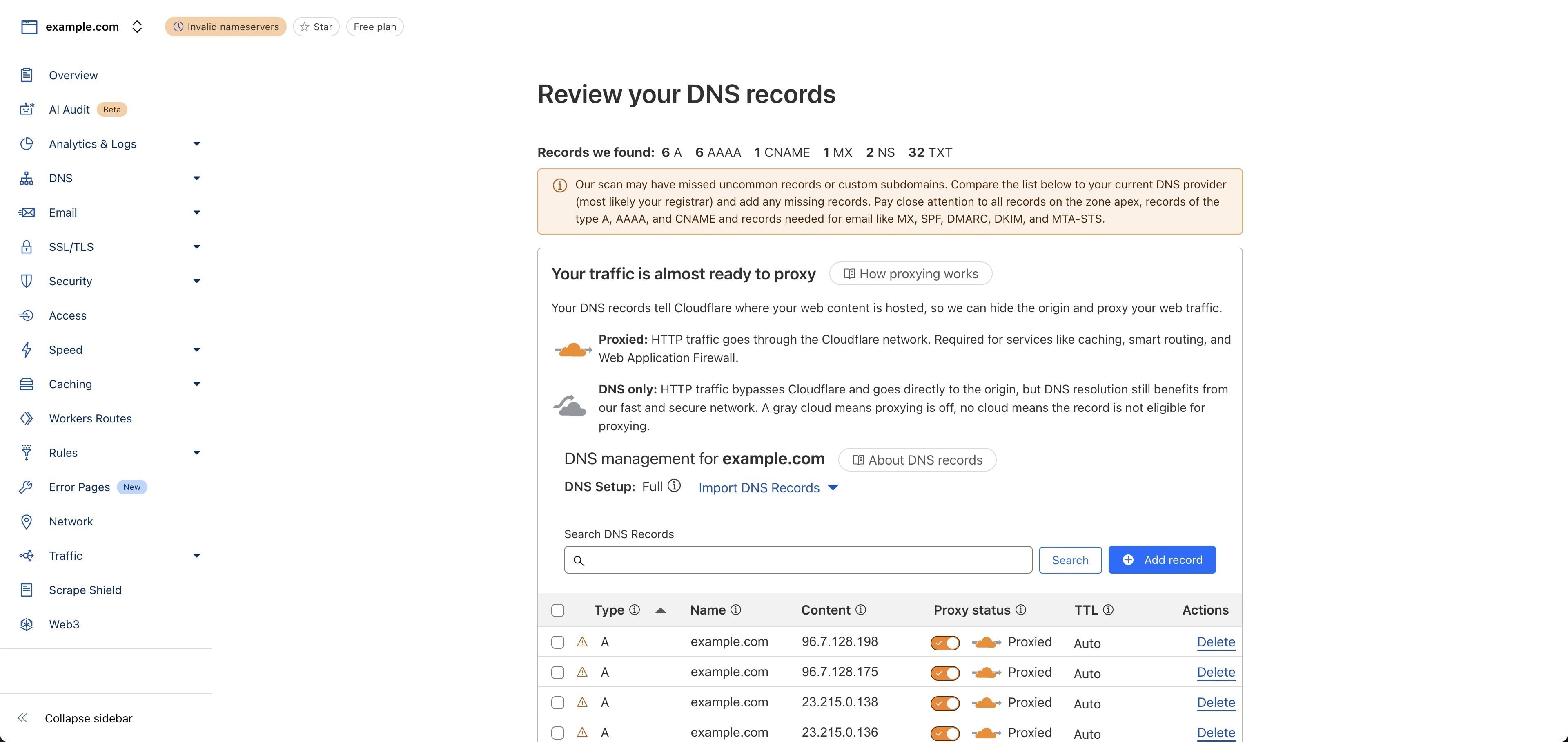
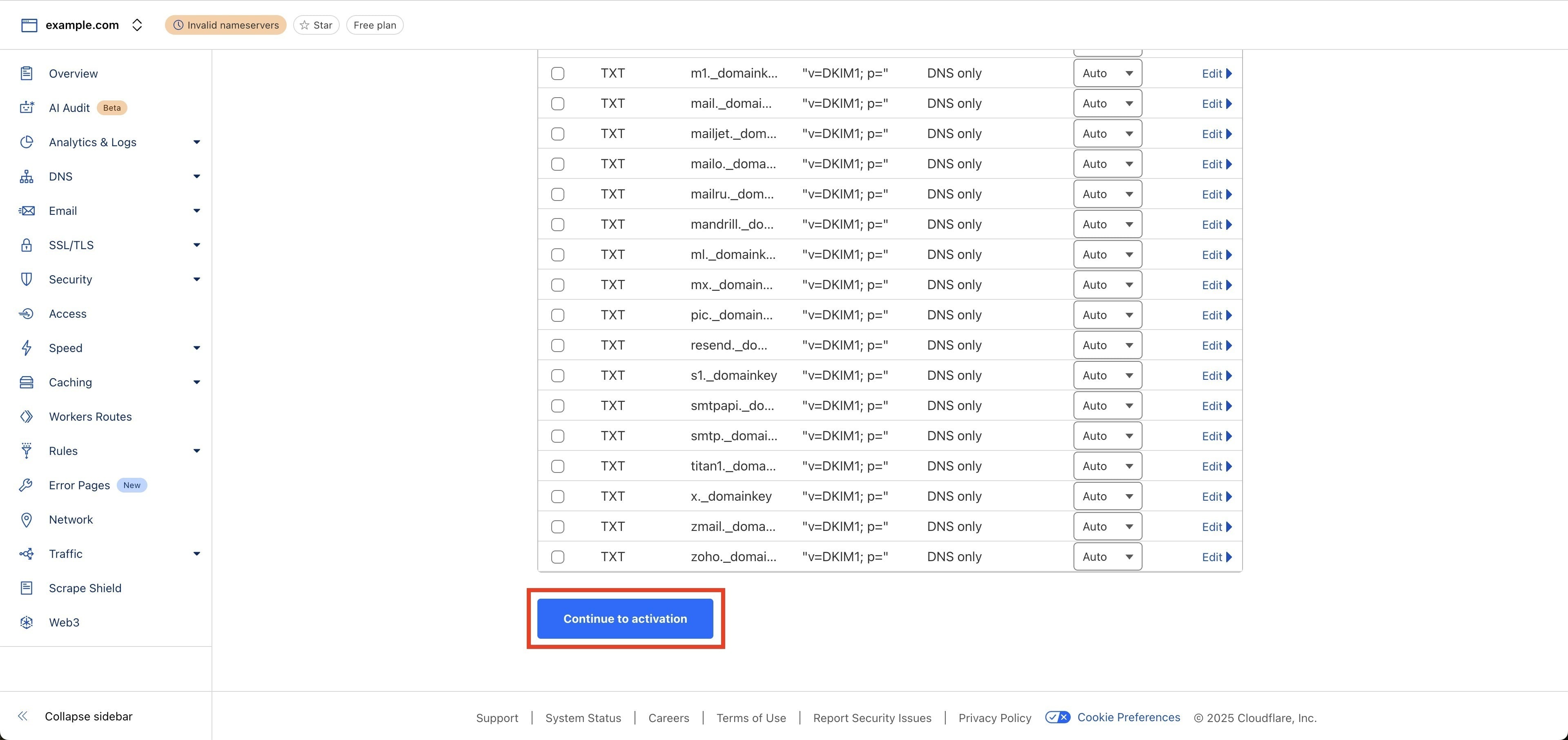
If all DNS records look correct, click [Continue to Activation]. If anything looks off, you can manually add, remove, or update records to match your current configuration
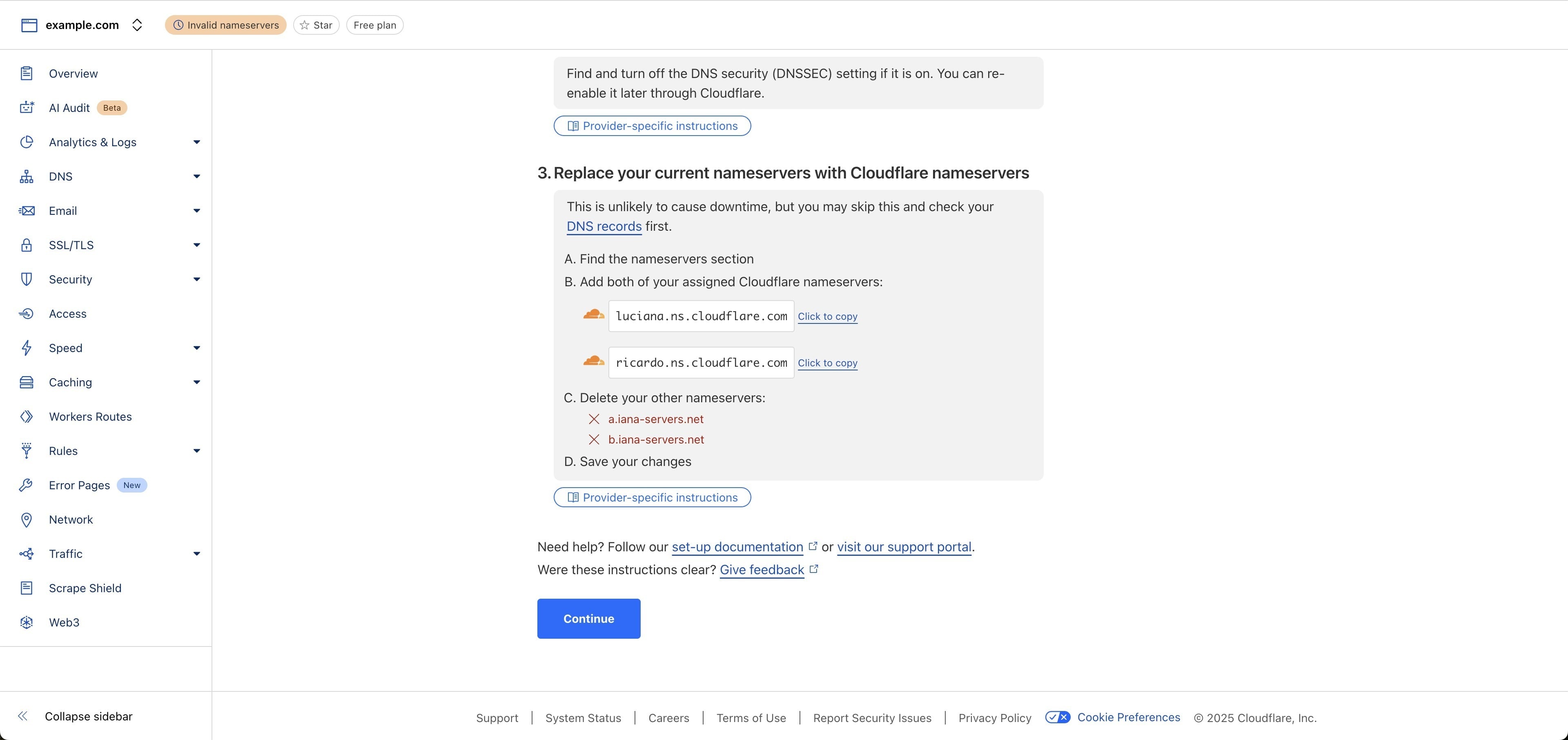
At this point, do not change your nameservers - we’ll handle that during the transfer process
Once your domain is added and DNS records are in place, we’ll need your Cloudflare Account ID to initiate the transfer. Go to your Cloudflare dashboard > and click into the domain you just added
Look at the URL in your browser - your Account ID is the long string of numbers and letters between /accounts/ and /workers

Example: If your URL looks like:
dash.cloudflare.com/accounts/0d2031c4bcda5980204101c44294740c/workers
Then your Account ID is: 0d2031c4bcda5980204101c44294740c
Once you have it, please email it to [email protected] or send it through the chat widget inside your Ivorey™ dashboard
After we receive your Account ID and confirm your domain is ready to move, we’ll begin the transfer process from our side. You don’t need to do anything else until you’re notified.
Once we start the transfer, it typically completes within 48 hours.
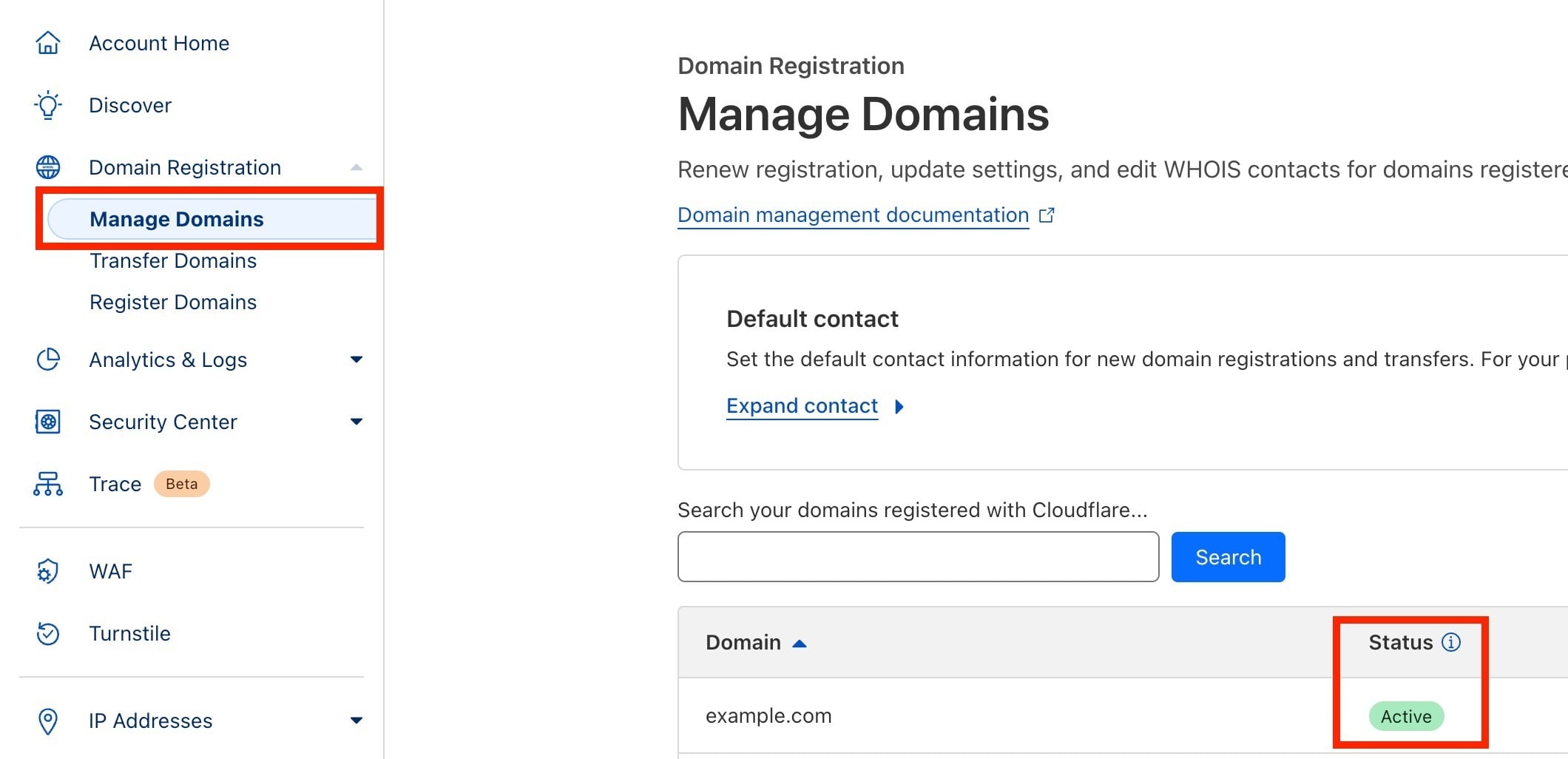
When the transfer is ready, log in to your Cloudflare account to accept it. Go to Domain Registration in the sidebar > and click [Manage Domains]
Locate the domain being transferred > and click [Manage]
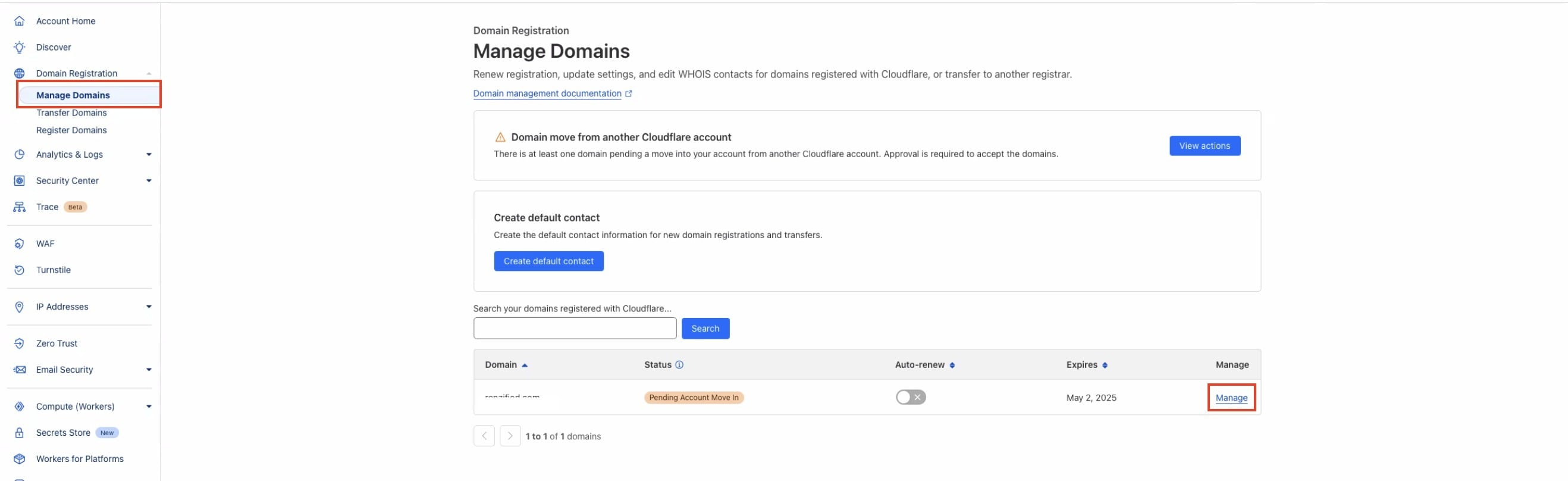
Approve the transfer
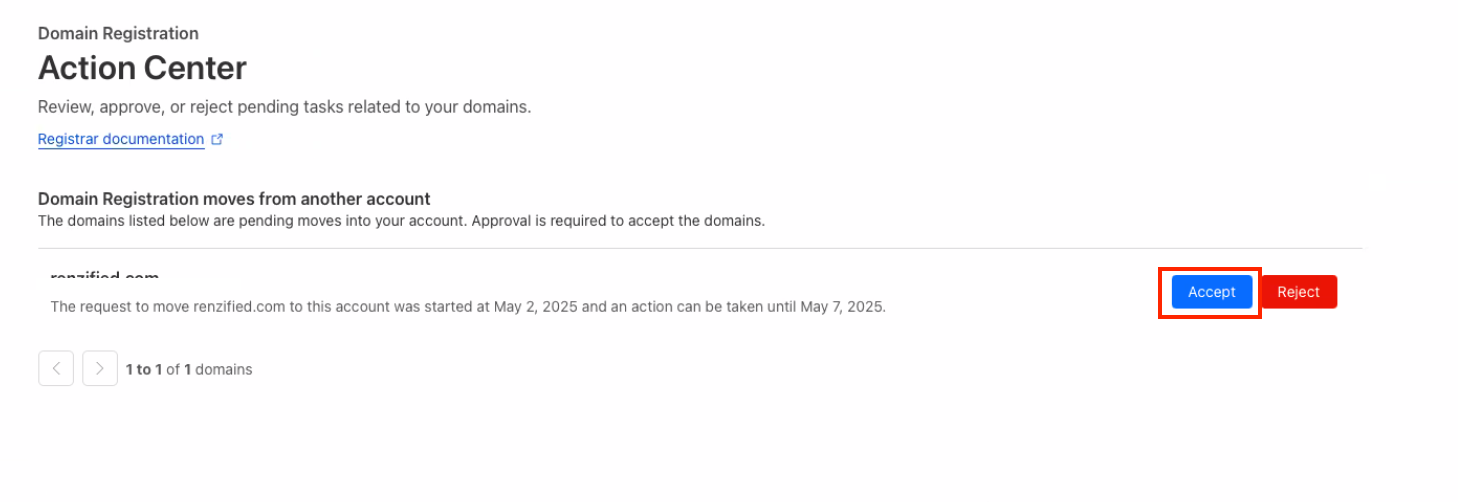
Once accepted, the domain status will update to Active under your domain list
Check domain ownership status – Even if your Ivorey™ subscription is cancelled, you may still technically own the domain, depending on how long it’s been since cancellation. Domains usually remain active for a certain period before fully expiring.
Unlock your domain – To transfer a domain to another provider, you’ll need to unlock it. If your Ivorey™ account is inactive, please reach out to Ivorey™ Support to unlock the domain: [email protected]
Obtain an authorization/EPP code – This code is required by the new registrar to initiate the transfer. Ivorey™ Support can provide this if your account is no longer accessible.
Initiate the transfer with a new registrar – Once unlocked and with the EPP code, you can start the transfer with your chosen domain provider (like GoDaddy, Namecheap, etc.).
Allow for transfer time – Domain transfers typically take 5–7 days to complete.
Yes! While complete subaccount transfers are not supported, as per our Terms, a domain can be transferred from Ivorey™ to another HighLevel agency (or to HighLevel directly). Please reach out to Support using the chat widget, with the exact domain name and the agency ID number, for our Support Team to process the domain transfer.
Hit the support chat widget inside Ivorey™ - we can:
Walk you through any of the steps
Troubleshoot anything that’s not working
We’re here and ready to help via the chat widget in the bottom right of your Ivorey™ account. Or if you are looking for done-for-you support, you can browse our current services here 🤍
